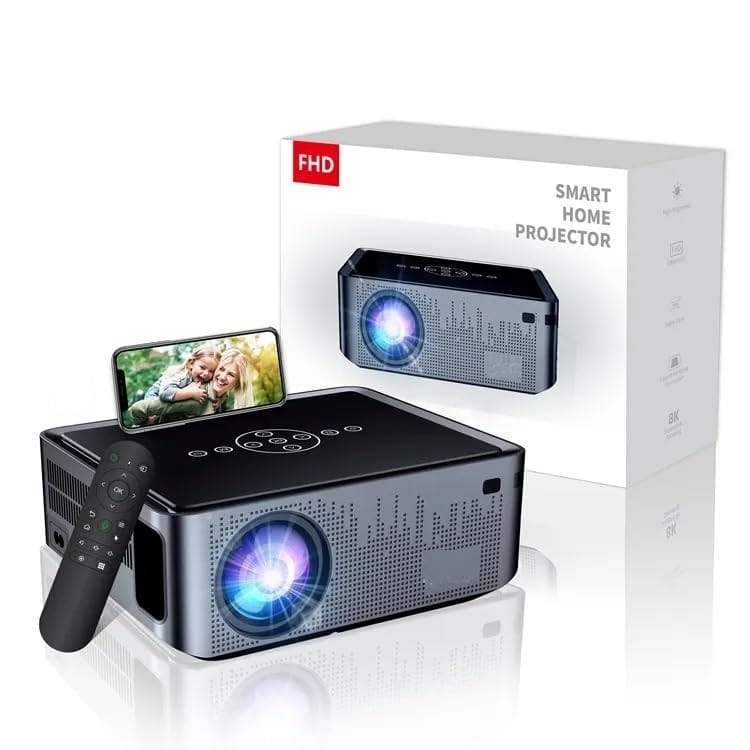
📽️ 4K/8K Supported Smart Projector – Native 1080P, Android 9.0, Auto Focus, Auto Keystone, WiFi 5G & 2.4G, Bluetooth 5.0, HDR10+, Dolby Audio, 200" Display, Home Theater & Outdoor Use
🔍 Product Description
Transform your home into a personal cinema with this advanced 4K/8K Supported Smart Projector, delivering native 1080P resolution, 300 ANSI brightness, 12000 lumens, and HDR10+ color accuracy. Powered by Android 9.0 OS, this all-in-one entertainment hub combines effortless streaming, wireless screen mirroring, Bluetooth audio, and stunning image quality for an immersive viewing experience.
🌟 Key Features
🖼️ Brilliant Picture Quality
Native 1080P Resolution, supports 4K & 8K video playback
300 ANSI brightness & 12000 lumens ensure vivid clarity even in well-lit rooms
10000:1 Contrast Ratio & HDR10+ enhance color depth, darker blacks, and richer whites
Aspect Ratio: Supports both 16:9 and 4:3
📶 Dual-Band WiFi (2.4G + 5G)
Enjoy lag-free screen mirroring and fast content loading with dual WiFi support
Compatible with iOS, Android, Windows (Miracast, Airplay, DLNA)
🤖 Built-in Android 9.0 OS
No need for external devices – stream directly from YouTube, Netflix (via Fire Stick), Prime Video, and more
Intuitive interface and smooth operation via ARM Mali-G31 MP2 GPU
🔊 Dolby Audio + Bluetooth 5.0
High-fidelity Dolby speakers deliver powerful, theater-quality sound
Bluetooth 5.0 allows stable connection to headphones, soundbars, or external speakers
🎯 Auto Focus & Auto Keystone
Auto Focus ensures crisp, sharp images instantly
Auto Keystone Correction (±50°) & 4P Corner Adjustment make setup fast and easy on any surface
🖥️ Flexible Display Size
Projection Size: 40"–200"
Projection Distance: 4.9ft–18.4ft
Manual zoom and focus adjustment for your ideal screen size
🔌 Wide Device Compatibility
HDMI, AV, USB, 3.5mm headphone jack
Works with TV Stick, Roku, Fire TV, PS5, Xbox, Laptops, USB Drives, Smartphones, and Tablets
📱 Wireless Screen Mirroring Made Easy
iOS:Settings > Connect to WiFi > Open “iOS Cast” > Enable “Screen Mirroring” > Select “Bytefly-xxxxxx”
Android:Settings > Connect to WiFi > Open “Miracast” > Enable screen mirroring or Smart View > Select “Bytefly-xxxxxx”
Windows 8.1/10/11:Windows + P > Connect to wireless display > Select “ZH45_X!PRO_Lite”
🛑 Note: Streaming services like Netflix, Prime Video, Hulu must be accessed via HDMI, Fire TV Stick, Roku, or Chromecast due to app copyright policies.
📦 What’s in the Box
1 x Smart Projector
1 x Power Adapter
1 x Remote Control
1 x HDMI Cable
1 x User Manual
🎬 Perfect For
Home Theater & Outdoor Movie Nights
Presentations & Work from Home Setups
Gaming with Friends
Educational Use & Kids’ Entertainment
Upgrade your viewing experience with premium visuals, seamless connectivity, and theater-quality audio—all in one sleek, portable package.