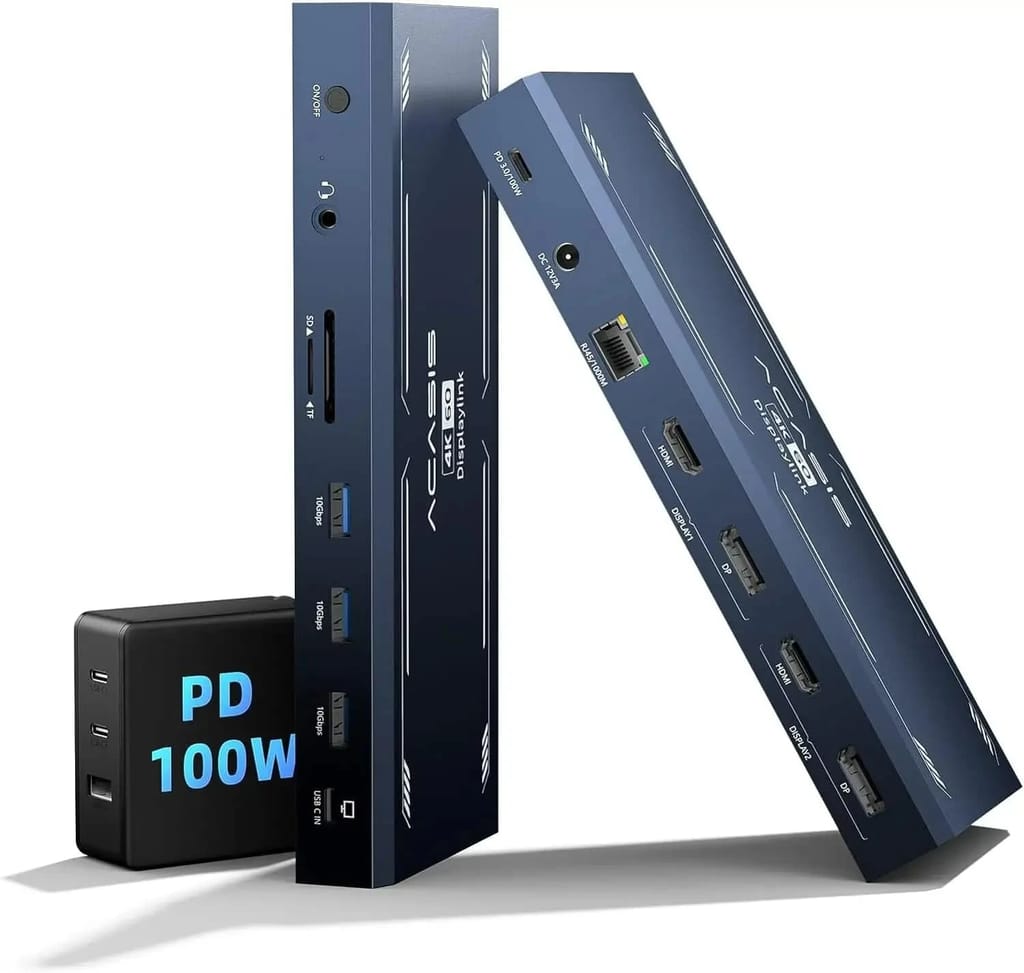
ACASIS Dual 4K HDMI & Displayport Docking Station for M1, M2, and M3 MacBooks,Windows, DS9005
Break free from the limitations of M1, M2, and M3 chips with ACASIS Docking Station to rediscover your 4K ultra HD experience. It not only enhances your visual enjoyment but also serves as a one-stop desktop docking station, equipped with 3 x 10Gbps USB-A ports, 1000Mbps Ethernet, 3.5MM audio jack, 100W PD port, SD card reader, and TF card reader.
Connection Demonstration
Support Variety Mode
Multiple Option
For Mac
Multiple devices can be fast charged by a single PD Power
3x 10Gbps USB-A Ports
1000Mbps Ethernet
Audio output 3.5MM
Multipurpose use
Compatible devices
Need to know before buying
Interface details
Package content
How to Download and Install Displaylink Driver?
FAQ
Q1: Does this product require driver installation?
Because it is a DISPLAYLINK multi-port docking station, the driver must be installed to use it.
Q2: Can HDMI and DP be used at the same time?
HDMI and DP in different groups can be used at the same time, but DP and HDMI in the same group cannot be used at the same
Q3: Can it support M1 chip differential display?
Yes, it supports M1, M2, and M3 chips for dual-screen display.
time because the product is dual display.
Q4: Do I need a driver to make this ACASIS USB C docking station dual monitor work?
Yes, this docking station 2 monitors requires downloading and installing a DisplayLink driver before use. NOTE: for macOS, Please follow these steps: Privacy & Security > Screen Recording > Allow “DisplayLink manager” to join in.
Q5: What is the difference between ACASIS displaylink laptop docking station and other docking stations?
First,the displaylink dock does not require the computer to have DP alt mode.Second,the displaylink docking station can expand different display content on both windows and mac,no limit.
Q6: Why does this USB C dock for MacBook need to record the laptop screen?
For macOS, the DisplayLink technology require screen recording permission to display the screen. But the DisplayLink app doesn’t store/record any screen content. It only uses screen recording functionality to enable seamless extended display support.