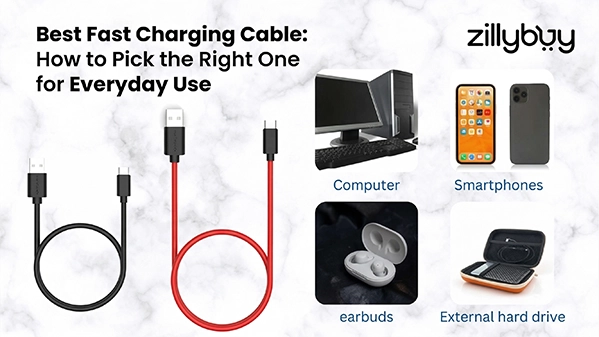
Best Fast Charging Cable: How to Pick the Right One?
Choose the right charging cable for fast, safe, and reliable everyday use.
Our smartphones serve as an extension of our bodies in today's society. We rely on them to close business deals, navigate city streets, create lasting memories, and doom scroll through memes at 2 am. However, the one thing that could ruin it all is that dreaded "1% Battery" notification.
When your phone is gasping its last breath, not only do you need a wire, but you also need a lifeline. But not all wires are made equal. If you've ever plugged your phone in for an hour and only gained 5%, then you know you have a poor-quality charging cable.
Today, we will be taking a look at volts, amps, and connectors to help you determine which charging cable works best for your lifestyle. Whether you want a data cable, a Type C fast charging cable, or a good-quality micro USB charging cable, Zillybuy has what you need.
Why Your Charging Cable Matters
Many people think that the brick (the wall charger) does all of the power delivery. While the adapter determines how much power can be supplied, the actual cable is what allows that power to get to the device! If you have a narrow cable with serious defects in it, there is nowhere for the electricity to go, and thus it will take much longer to get to your phone.
A good charging cable will usually contain larger-diameter copper wires (lower gauge), allowing for more current-carrying capacity and reduced overheating.
When you use a generic or flimsy wire, you could experience slower charge speeds and could risk damaging your battery.
Types of Charging Cables You Should Know
When considering a purchase, you must be aware of the various charging wires that are available today:
1. Fast Charging Cable Type-C:
The best-selling charging cable at the present time is the data cable type C fast charging cable, which has a high-speed connection capability, is reversible, and generally provides a great deal of user-friendliness. It has become the predominant form of cable for almost every modern smartphone, tablet, and accessory.
2. Micro USB Charging Cable:
The fast charging micro USB cable is mainly made for use with older devices, power banks, and some accessories. Whereas it is not as fast as a type C cable, its overall compatibility with a variety of devices keeps this cable type commonly used.
3. Lightning Cable:
The lightning cable is specifically designed for Apple products. Lightning cables are capable of supporting fast charging as long as they are used with the proper adapter.
4. Data Cable Type-C Fast Charging:
Data cable type-C fast charging allows for both fast charging and high-speed data transfer, and therefore is perfect for a user who multitasks.
Choosing Your Connection: Type-C vs Micro USB
The first step in selecting your cable is to determine which connector type is on your device.
Modern Standard: The data cable Type C fast charging cable has quickly become the universal gold standard. It is reversible (no more fumbling around with your phone in the dark!) and can support far superior power delivery than previous generations.
Genuine Legacy: If you have an older Kindle, budget smartphone, or any number of other Bluetooth speakers, chances are you will need to use a micro USB charging cable. Even if your device was manufactured many years ago, using a fast charging micro USB cable will ensure that you are charging your device at the maximum permissible charge speeds.
Durability Meets Design: Material Matters
Are your cords fraying at the neck? You should probably start looking at the materials of all the cables. We categorize the cables into three build categories:
1. PVC/TPE Cables:
These are designed for flexibility and are both lightweight and inexpensive.
2. Braided Cables:
For those who are rough on their equipment, a charging cable with a nylon braided exterior will provide superior resistance to kinking and eliminate snapping.
3. Short vs. Long:
A 1-meter cable is great for your desk, but a 0.25 meter cable is a great option to keep your power bank from creating a jumbled mess of cables.
Spotlighting the Best: Zillybuy’s Top Picks
To help you make your decision, here are some premium Twance options available only from Zillybuy.
- Twance N20R TPE USB to Type C: If you want a cable that will both jump out at you and perform well, then the Twance N20R is a great choice for a charging cable. This cable has a very bright reddish TPE wrapping material and has a maximum charge of 2.4A which is one of the fast Type C charging cables available for your daily Type C charging needs. It is also 1 meter long; this is a perfect distance for a nightstand or an office desk.
- Twance T20 PVC Type C to USB: Sometimes two is better than one. The Twance T20 comes in a pack of two 1-meter-long black cables. This is the ideal data cable Type C fast charging solution for those needing to charge their devices in their car and at home with the same type of cable. Made from high-quality PVC, this data cable provides the best possible connection for charging every time.
- Twance T23B Braided Type C: Fed up with long cables getting tangled in your bag? The Twance T23B is a charging cable that is only 0.25 meters long and perfect for taking with you for charging devices on the go. Its braided design gives it maximum durability, and with its short length, it's your perfect companion for fast charging from a power bank.
- Twance TL20W Type C to Lightning: For iPhone users, there is a great solution available to you with the Twance TL20W Cable. This cable has a Type-C to Lightning connector that lets you use PD (Power Delivery) adapters for high-speed charging. The sleek, white, 1-meter cable is capable of being used for charging and high-speed data transfer.
Tip to Remember: When you upgrade your cords, don't forget to upgrade your audio too. The Twance Wired Earphones (ME Pros 201) come with a Type-C connector, so they will plug directly into any modern smartphone without the need for a large dongle. These earphones are 1.25 meters long and have a built-in microphone, making them perfect for pairing with your type c fast charging cable setup.
How to Maintain Your Charging Cable
Every premium charging cable needs a little care and attention. To extend the life of your premium charging cord, make sure to:
- Don't Bend: Never pull on the cable by the wire; always pull straight from the plug end.
- Keep Cool: If you leave your micro USB fast charging cable in the car while it is hot outside, it could degrade the copper wire inside it.
- Store Correctly: Don’t wrap the charging cord around your hands tightly. Use a looser over-under pattern so that you do not break any of the wires inside.
Fast Charging vs Regular Charging Cable
Cables can differ a lot based on their specifications. For example, regular charge cables often take much longer to charge a device than a charging cord.
| Feature | Regular Cable | Fast-Charging Cable |
|---|---|---|
| Speed | Slow | High-Speed |
| Data-Transfer | Low | High |
| Compatibility | Limited | Modern Devices |
| Efficiency | Basic | Optimized |
If you are trying to be as efficient as possible, you should always use a charging cord.
Conclusion
The correct cable choice does not need to cause you any trouble. To keep your gadget charged and prepared for use, focus on three essential variables: the type of connector you require, the length of cable suitable for your application, and finally, the reputation or level of quality you expect from the company that produces the connector you wish to use.
Zillybuy has an excellent range of both tough and high-speed charging cables suited to your requirements, whether you prefer the Twance T23B or the Twance TL20W. Do not accept anything but the best! experience the tremendous advantages of a high-quality type c fast charging cable or a high-quality micro usb fast charging cable.
Frequently Asked Questions (FAQs)
1. What is the fastest type of charging cable?
Ans.The fastest charging cable type is a Type C fast charging cable that allows you to charge your device at a high wattage.
2. Which adapter can I use with my charging cable?
Ans.You can use your charging cable with any compatible adapter. But for optimal performance, use your adapter with the cable it was designed to work with.
3. Which is faster, Micro USB or Type-C?
Ans.Fast charging micro USB cable speeds will be much slower than Type C charging speeds, as Type C is a new standard in charging technology.
4. How do I know if my cable supports fast charging capability?
Ans.If your cable has specifications of 2.4A or higher, it is likely fast charging capable. Most Type-C fast-charging cables support both fast charging and high data transfer rates.
5. How long can a charging cable typically last?
Ans.If a charging cable is of high quality and well taken care of, it can last for several months to several years on average.